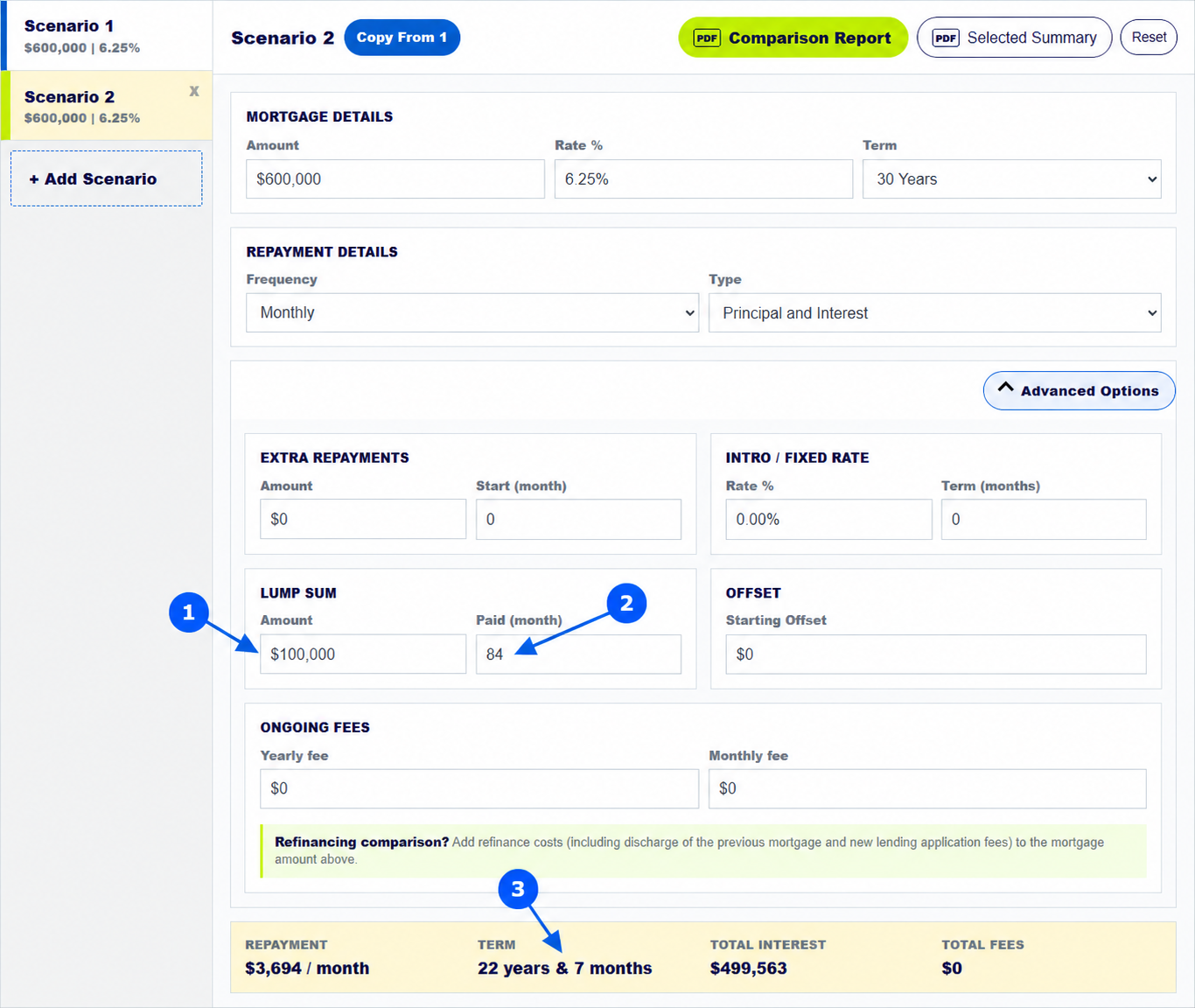
To test a one-off mortgage payment, copy your loan into a new scenario, open Advanced Options, then enter the Lump Sum: Amount and Paid (month). The calculator applies that amount to the balance at the chosen time and updates the estimated interest and repayment term. The screenshot shows $100,000 paid in month 84, which is seven years after the model starts.
The numbered arrows on the real calculator screenshot above show the controls used in this example. Open the calculator to enter your own figures.
How do you enter a lump-sum mortgage repayment?
Set up Scenario 1 with the loan amount, rate, term and repayment frequency. Choose Add Scenario and Copy From 1, then open Advanced Options in Scenario 2. Enter the one-off amount under Lump Sum. In Paid (month), enter when it will be paid: 12 for one year, 60 for five years or 84 for seven years. Month 0 models money applied at the start.
Leave Extra Repayments at zero if you want to isolate the lump sum. Otherwise the result reflects both strategies.
What happens if you pay $100,000 off a mortgage in year seven?
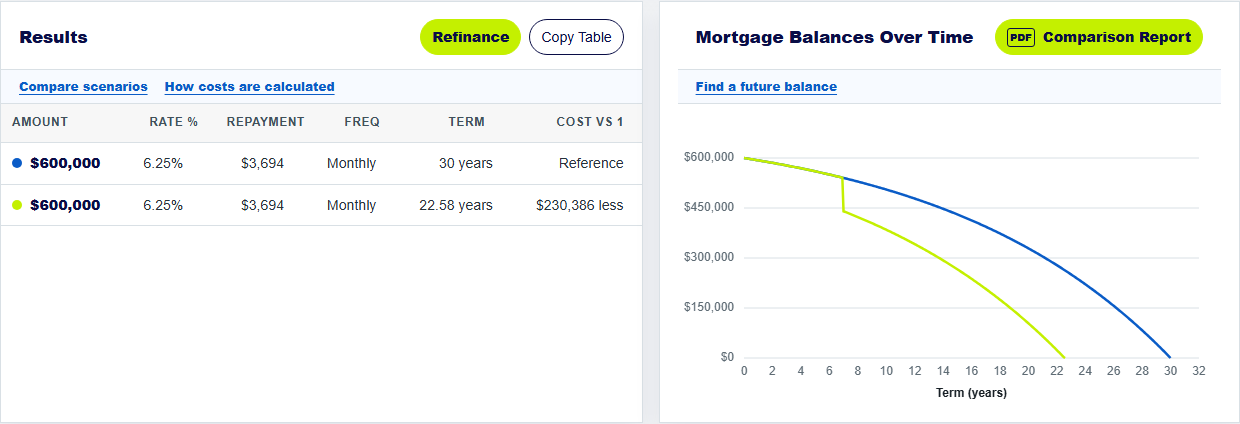
For the pictured $600,000 loan at 6.25% over 30 years, the baseline has about $729,949 in modelled total interest. A $100,000 lump sum in month 84, with no other change, gives a projected term of 22 years and 7 months and about $499,563 in interest. That is an estimated $230,386 less interest than the baseline.
The amount matters, but timing also matters: an earlier principal reduction generally leaves less balance on which future interest is calculated. The model assumes the scheduled payment continues.
Does a lump sum lower your normal mortgage repayment?
In this calculator, the lump sum reduces the outstanding balance and can bring the projected payoff forward. It does not automatically lower the scheduled repayment. In the example, the scheduled amount remains about $3,694 a month. A lender may handle a real lump sum differently, including recalculating the minimum payment if you request it or limiting payments during a fixed period.
Ask the lender what happens to the required payment, redraw access and any fee or break cost. The calculator cannot apply a product rule that you have not entered.
How do you see a lump sum on the loan-balance graph?
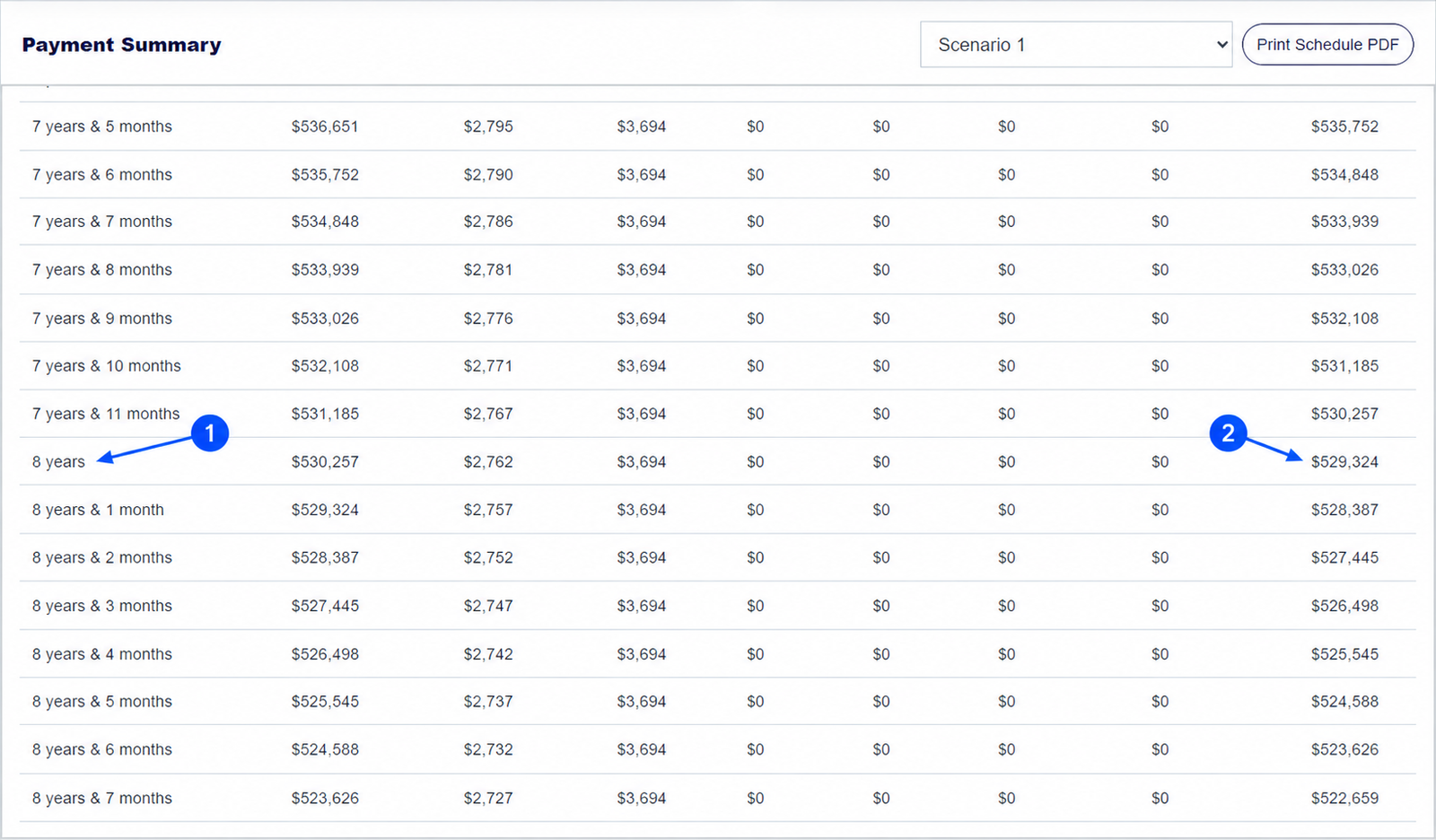
Look near the chosen payment time on Mortgage Balances Over Time. The lump-sum scenario should show a sharp fall when the one-off payment is applied. In Payment Summary, find the period where the Lump Sum column records $100,000 and compare its End Balance with the previous period. That table is the clearest way to confirm which month received the payment.
If you plan regular extra payments as well, use a separate scenario first. Then combine them in another scenario to see their joint effect.
Keep exploring: extra repayments guide, year-eight balance guide. For home-loan product conditions, see MoneySmart on extra-payment rules.
Test a lump-sum repayment
Enter the amount and month you expect, then compare the balance and projected term.
How does the mortgage calculator model a lump sum?
How do I enter a lump sum in the mortgage repayment calculator?
Open Advanced Options and enter the Lump Sum amount and Paid (month). Month 84 means seven years after the model starts.
Can the home loan calculator combine a lump sum with extra repayments?
Yes. Enter both in one scenario. To understand each effect separately, test them in separate scenarios first.
Does the lump-sum calculator account for lender payment limits?
No. Fixed-rate and other loan conditions can limit lump sums or add charges. Check your lender's current terms.
About this example: The example is a $600,000 principal-and-interest loan at 6.25% for 30 years with monthly payments, no fees or offset. Scenario 2 adds only a $100,000 lump sum at month 84. Screenshots were captured from this calculator on 30 September 2026. Numbered arrows highlight important parts of the featured image. Results are estimates, not a lender quote or personal financial advice. Read the calculator assumptions.