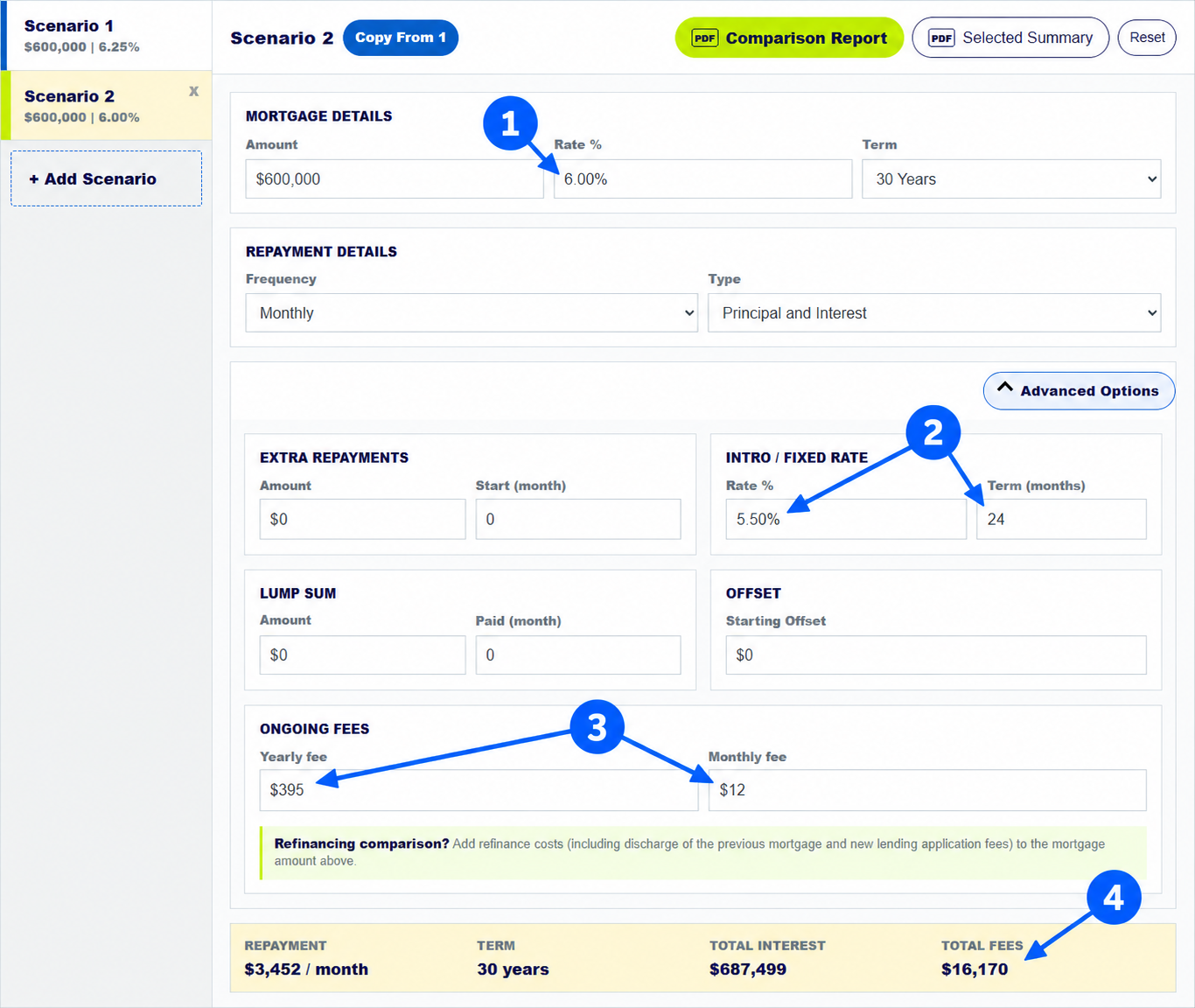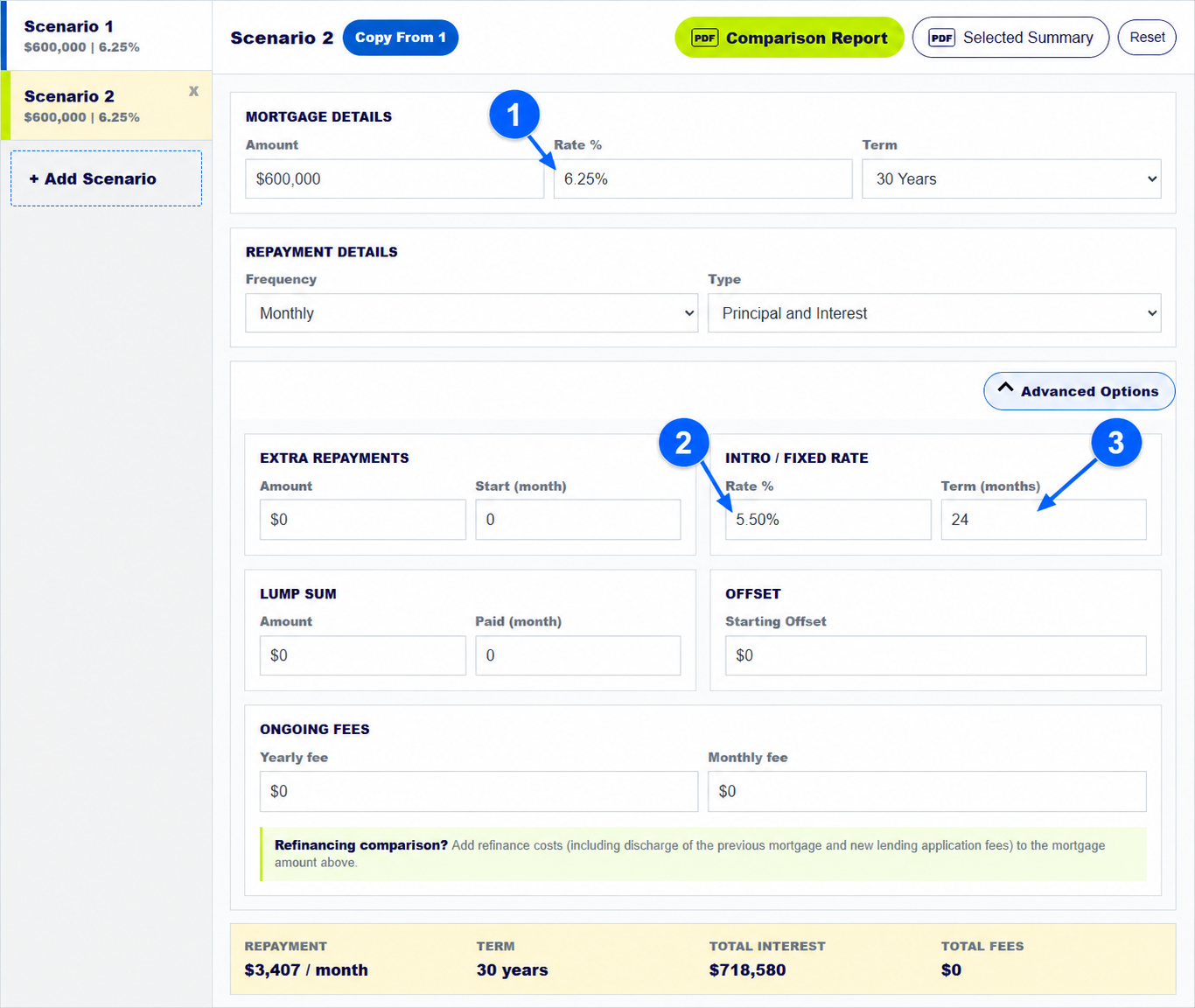
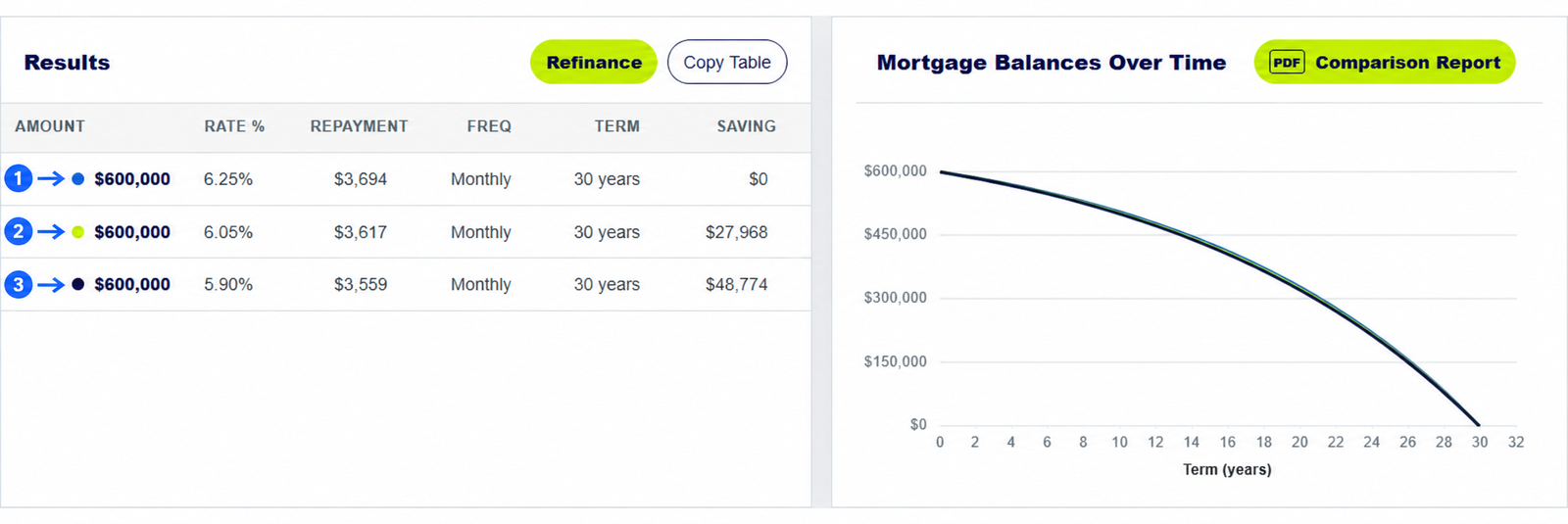
To compare home loans fairly, put your first offer in Scenario 1, select Add Scenario, copy the starting figures and change only the rate or fee you want to test. Repeat for other offers, up to nine scenarios. The mortgage repayment calculator displays repayments, term, cost differences and balance lines together.
The numbered arrows on the real calculator screenshot above show the controls used in this example. Open the calculator to enter your own figures.
How do you set up a fair home loan comparison?
Enter the same loan amount, term, repayment frequency and repayment type for every offer unless a lender's quote genuinely differs. This creates a like-for-like starting point. Use Scenario 1 as the reference because the Cost vs 1 column compares each option with it. Record rates and fees from current lender documents rather than an advertisement alone.
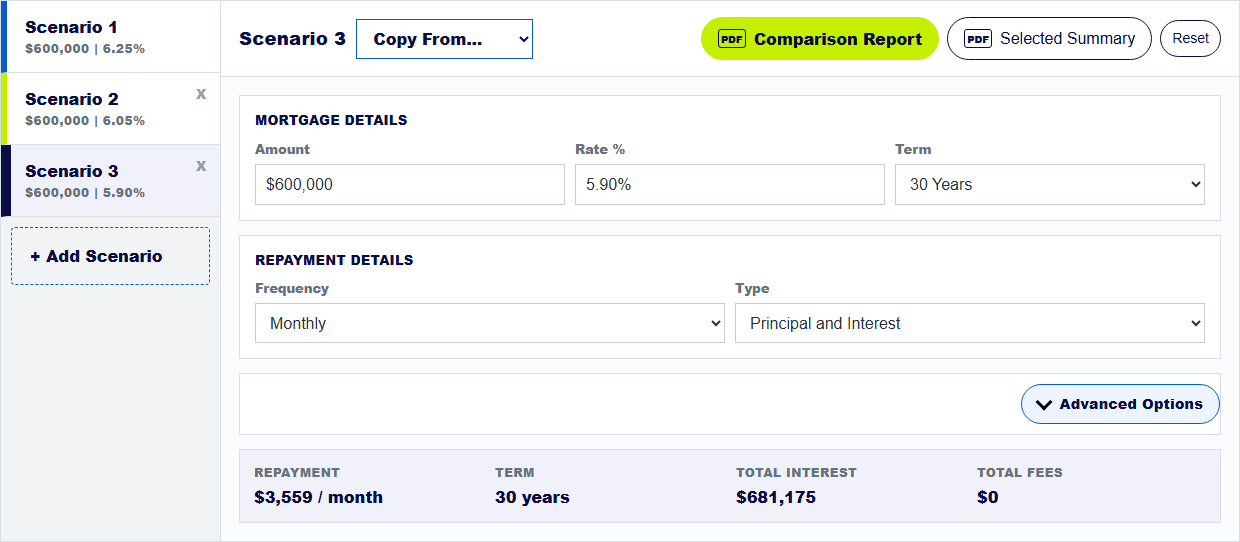
The example above holds the $600,000 amount and 30-year monthly principal-and-interest term constant. Only the rates change: 6.25%, 6.05% and 5.90%. That makes the repayment difference easy to interpret.
How do you copy one home loan into several scenarios?
Select Add Scenario. For Scenario 2, choose Copy From 1. When more scenarios exist, the copy control may become a Copy From... menu; choose the scenario you want to duplicate. Then edit the active scenario's amount, rate, term or advanced fields. Each scenario has its own tab on the left, so check which tab is highlighted before typing.
You can model up to nine options, but start with two or three that answer one decision. Too many simultaneous changes make the cause of a result harder to see.
How do you read repayments and savings across three loans?
In the pictured example, the 6.25% baseline shows about $3,694 a month. The 6.05% scenario shows about $3,617, and 5.90% shows about $3,559, with the same amount and term. The calculator displays estimated savings of $27,968 and $48,774 against Scenario 1 under these fee-free assumptions.
The graph lines sit close together because all three loans still run for 30 years. A small visual gap does not mean the money difference is unimportant. Read the table and the full schedule for exact modelled figures.
How do you compare loan fees and features as well as rates?
Open Advanced Options to enter yearly and monthly fees for the relevant offer. Add an offset, introductory rate or extra-payment plan only if that offer actually includes it. Compare total interest and total fees, not just the first scheduled repayment. A lower rate with higher fees may cost more over the period that matters to you.
MoneySmart advises comparing loan features and conditions as well as cost, including extra-payment rules and what happens when a temporary rate ends.
Keep exploring: refinance comparison guide, introductory rate guide. For home-loan product conditions, see MoneySmart's loan comparison guidance.
Compare your home loan offers
Copy the first offer, then change rates, fees and features using current lender figures.
How do you compare options in a home loan calculator?
How many home loan scenarios can I compare on the mortgage repayment calculator?
The mortgage repayment calculator supports up to nine scenarios. Start with a smaller set that answers one clear question.
Can the home loan calculator compare more than interest rates?
Yes. You can compare terms, repayment types, payment frequencies, ongoing fees, offsets, extra repayments and lump sums. Change one factor at a time to see its effect.
What does Scenario 1 mean in the mortgage comparison calculator?
Scenario 1 is the reference for the Cost vs 1 column. Copy it into another scenario, then change the feature you want to test.
About this example: The visual example uses three $600,000, 30-year monthly principal-and-interest scenarios at 6.25%, 6.05% and 5.90%, with no fees or offset. Rates are illustrative, not current market offers. Screenshots were captured from this calculator on 30 September 2026. Numbered arrows highlight important parts of the featured image. Results are estimates, not a lender quote or personal financial advice. Read the calculator assumptions.