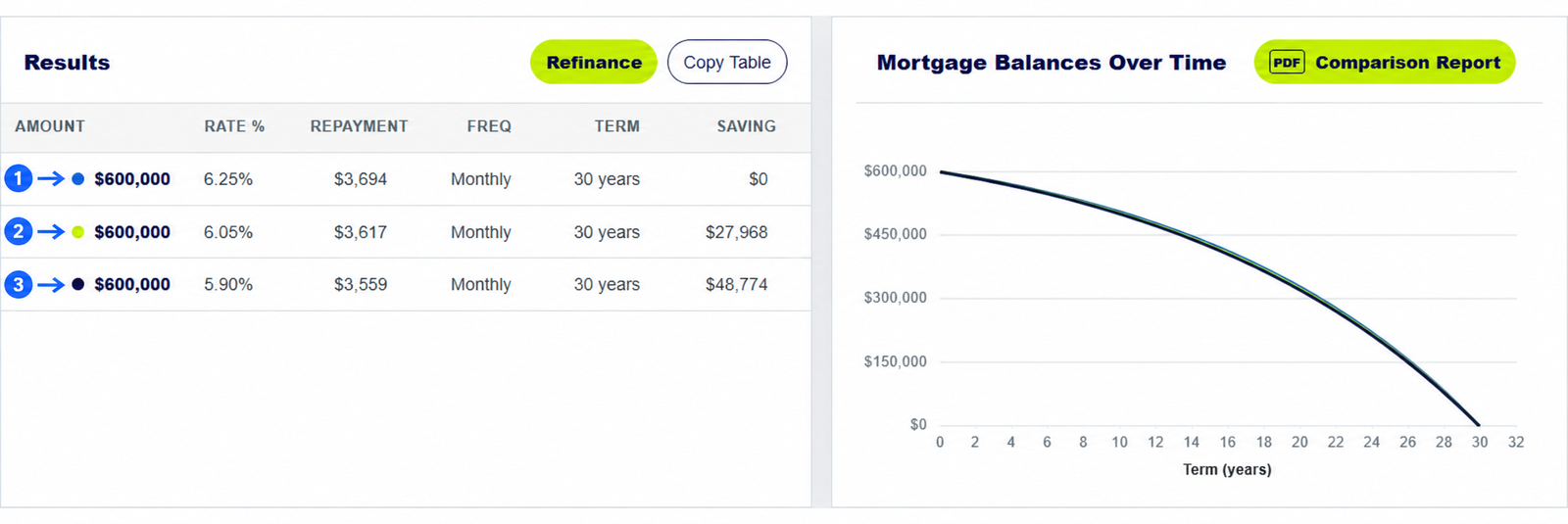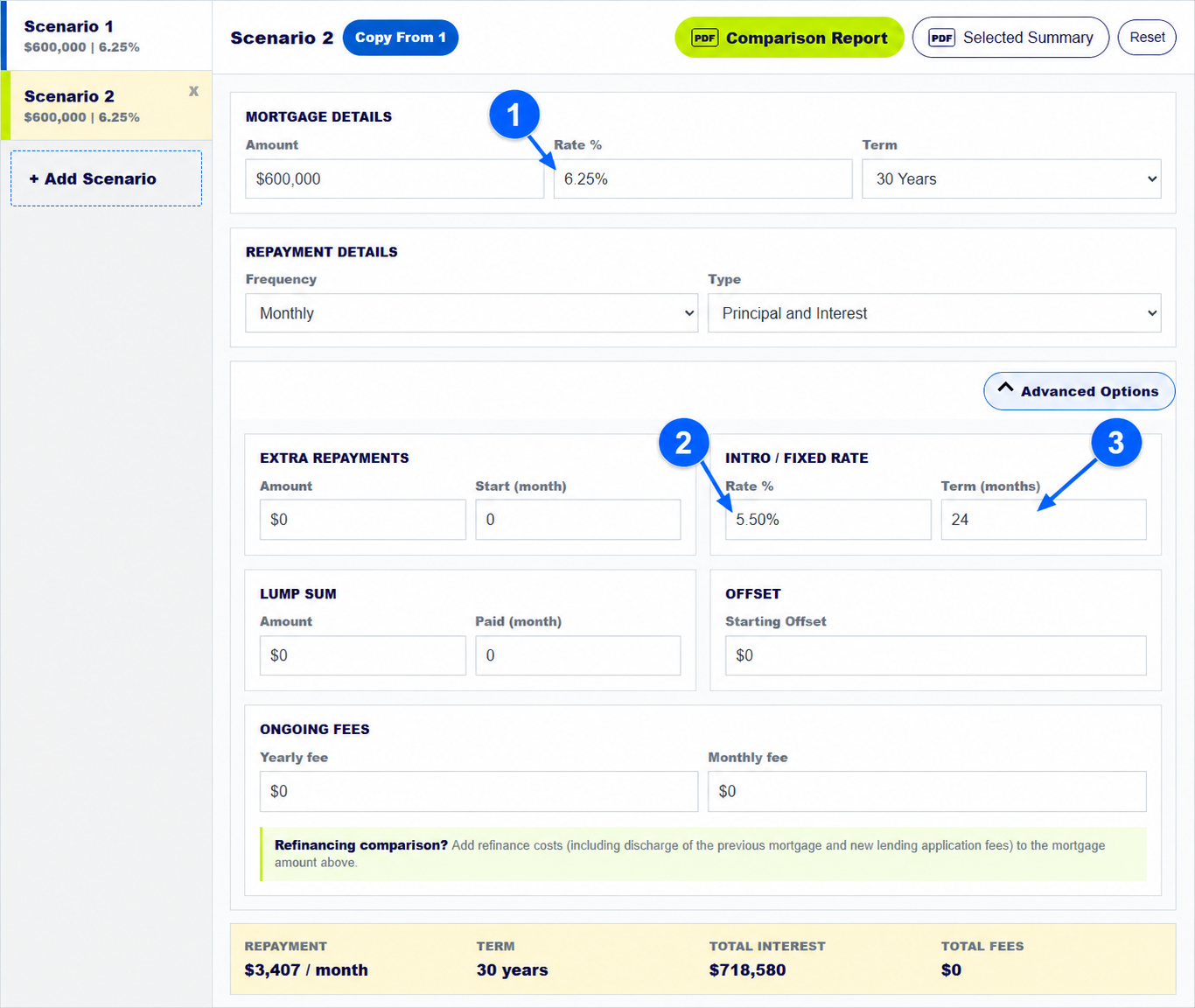
To compare refinancing options, put your current loan in Scenario 1 and the proposed loan in Scenario 2. Enter the new ongoing rate, any introductory rate and its length, plus yearly and monthly fees. Then compare total interest, total fees and the repayment schedule, not only the first monthly payment. The calculator helps you test these inputs side by side.
The numbered arrows on the real calculator screenshot above show the controls used in this example. Open the calculator to enter your own figures.
How do you set up your current mortgage for a refinance comparison?
Use the amount you still owe, your current rate and the remaining term in Scenario 1. If the new loan would have the same starting balance and term, select Add Scenario and Copy From 1. If it would start a fresh 30-year term while the current loan has 22 years left, enter those different terms deliberately. A longer new term can lower the monthly payment while increasing the time spent paying interest.
Gather current lender documents and a proposed loan offer before entering rates and fees.
How do you enter an introductory rate and ongoing mortgage fees?
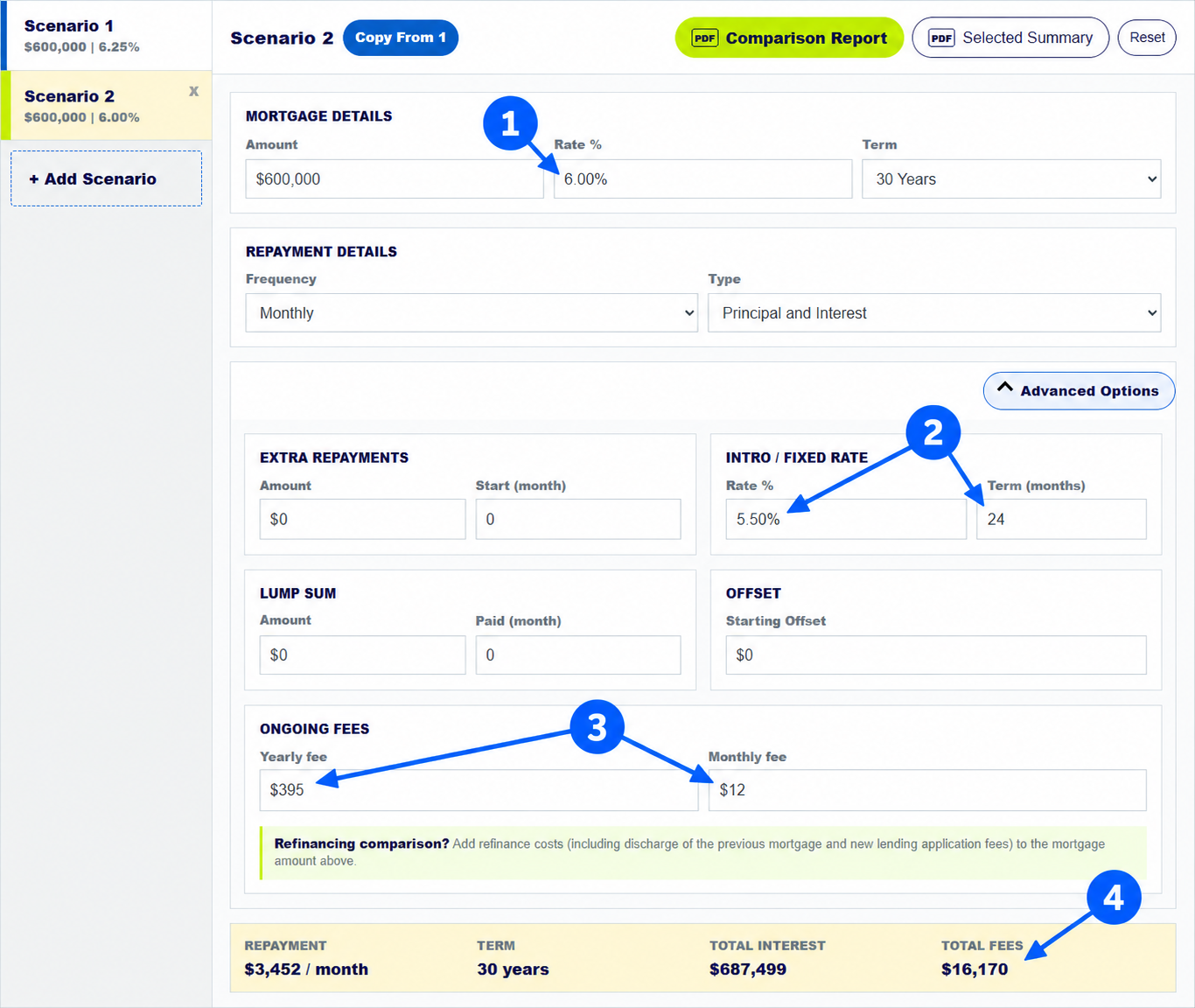
In Scenario 2, set Rate % to the proposed ongoing rate. Open Advanced Options and enter the temporary rate and its length under Intro / Fixed Rate. Add any Yearly fee and Monthly fee. The annotated screenshot uses 6.00% ongoing, 5.50% for the first 24 months, a $395 yearly fee and a $12 monthly fee.
Include any discharge, application, settlement or other switching costs in your own comparison. If you would borrow to pay them, reflect that in the new loan amount; otherwise allow for them separately.
How do you tell whether a lower refinance rate saves money?
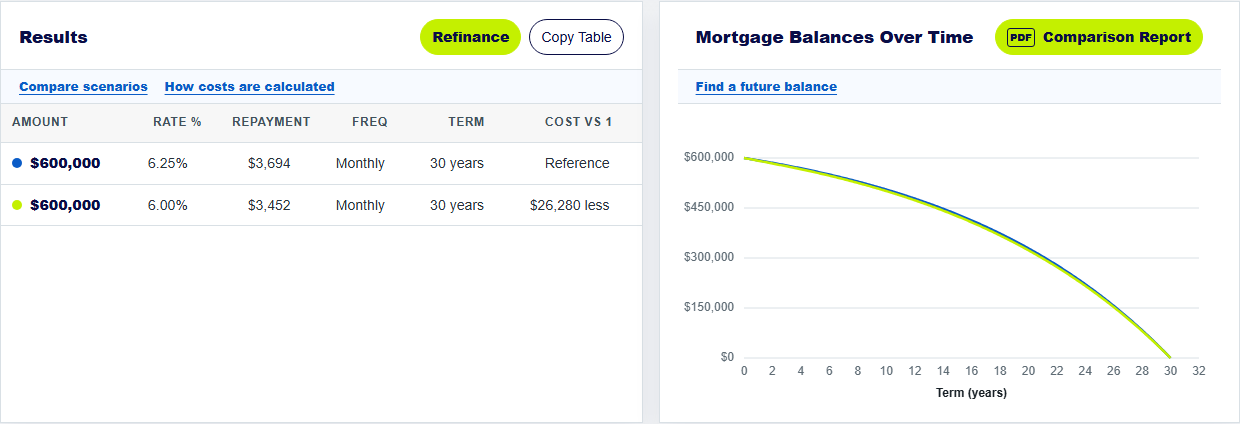
In this simplified example, the current $600,000 loan is modelled at 6.25% over 30 years. Scenario 2 shows about $687,499 in total interest and $16,170 in entered ongoing fees. The calculator's Cost vs 1 column shows about $26,280 less than Scenario 1 under these inputs. The displayed repayment for the temporary-rate period is about $3,452 a month, but the payment can change when that period ends.
Do not treat that difference as the complete benefit of switching: this example does not include one-off refinance costs or changes to the term or product rules.
How do you check refinance costs and the end of a low introductory rate?
Read the schedule around the month when a temporary rate ends, and compare the later payment with your budget. Add all known ongoing fees. List one-off switching costs separately so you can ask whether the expected savings repay those costs over the time you plan to keep the new loan. The calculator's displayed long-term saving is not a break-even calculation for every real refinance cost.
MoneySmart's switching guide explains why rates, fees and remaining term all matter when you compare a move.
Keep exploring: home loan comparison guide, introductory rate guide. For home-loan product conditions, see MoneySmart's switching home loans guide.
Compare refinancing options
Use your current balance and a written offer, including every known ongoing fee.
How does the home loan calculator compare refinancing costs?
What balance should I enter in the mortgage calculator when refinancing?
Use the balance you still owe, along with the remaining term of your current loan. Model the proposed loan in another scenario.
Does the refinance calculator include one-off switching costs?
No, not automatically. Include financed costs in the proposed loan amount or account for cash-paid costs separately. You can enter ongoing yearly and monthly fees.
Can the home loan calculator show a lower payment but higher total cost?
Yes. A longer new term, higher fees or a later rate rise can outweigh a lower starting repayment. Compare total interest, fees and term.
About this example: The example uses a $600,000 current loan at 6.25% and a proposed 6.00% ongoing rate with 5.50% for 24 months, $395 yearly and $12 monthly fees. Both are modelled over 30 years; one-off refinance costs are excluded. Screenshots were captured from this calculator on 30 September 2026. Numbered arrows highlight important parts of the featured image. Results are estimates, not a lender quote or personal financial advice. Read the calculator assumptions.